Features / Finance
A profit and loss statement for your Allegro sales
The statement goes from revenue to profit line by line, and next to it you see Allegro payouts and the period reconciliation.
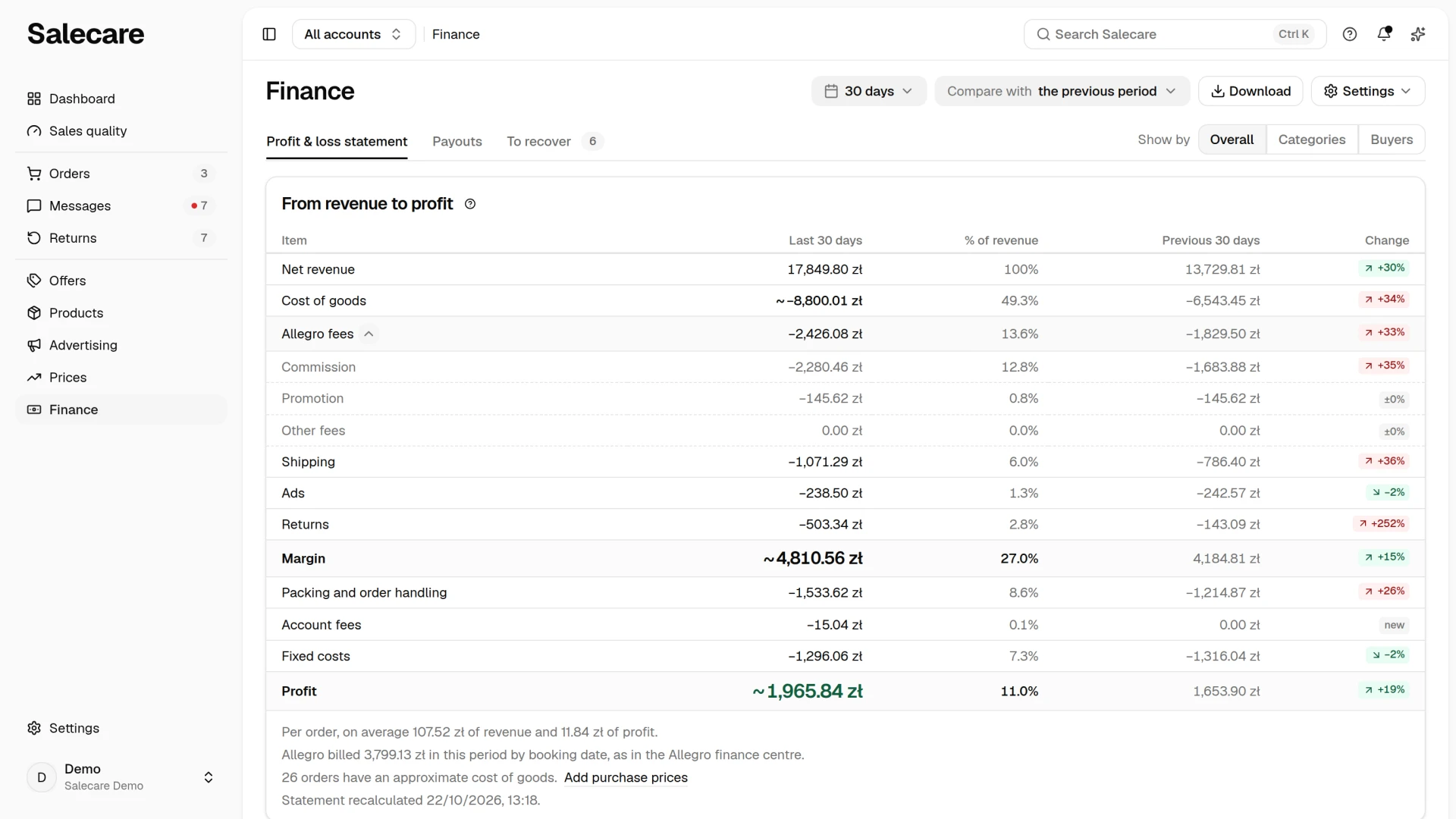
Every cost shows its share of revenue
-
From revenue to profit
Cost of goods, Allegro fees split into commission, promotion and other fees, shipping, ads, returns, packing and handling, and fixed costs. You can compare every line with the previous period.
-
Payouts
The Payouts tab gives the amount available for payout, cash on delivery on its way and the breakdown of every payout, operation by operation.
-
Period reconciliation
The Reconciliation tab sets sales, the wallet and Allegro fees for the period you pick side by side and gives the balance.
The statement does not replace your financial statements
What you need
An Allegro account connected with the Allegro settlements and fees permission.
Where the limits are
The statement leaves out wages, depreciation and financial costs unless you enter them as fixed costs.