Features / Sales quality and ratings
Allegro sales quality and negative ratings with the request deadline
You see your Allegro sales quality score, what lowers it, and until when you can ask for a negative rating to be removed.
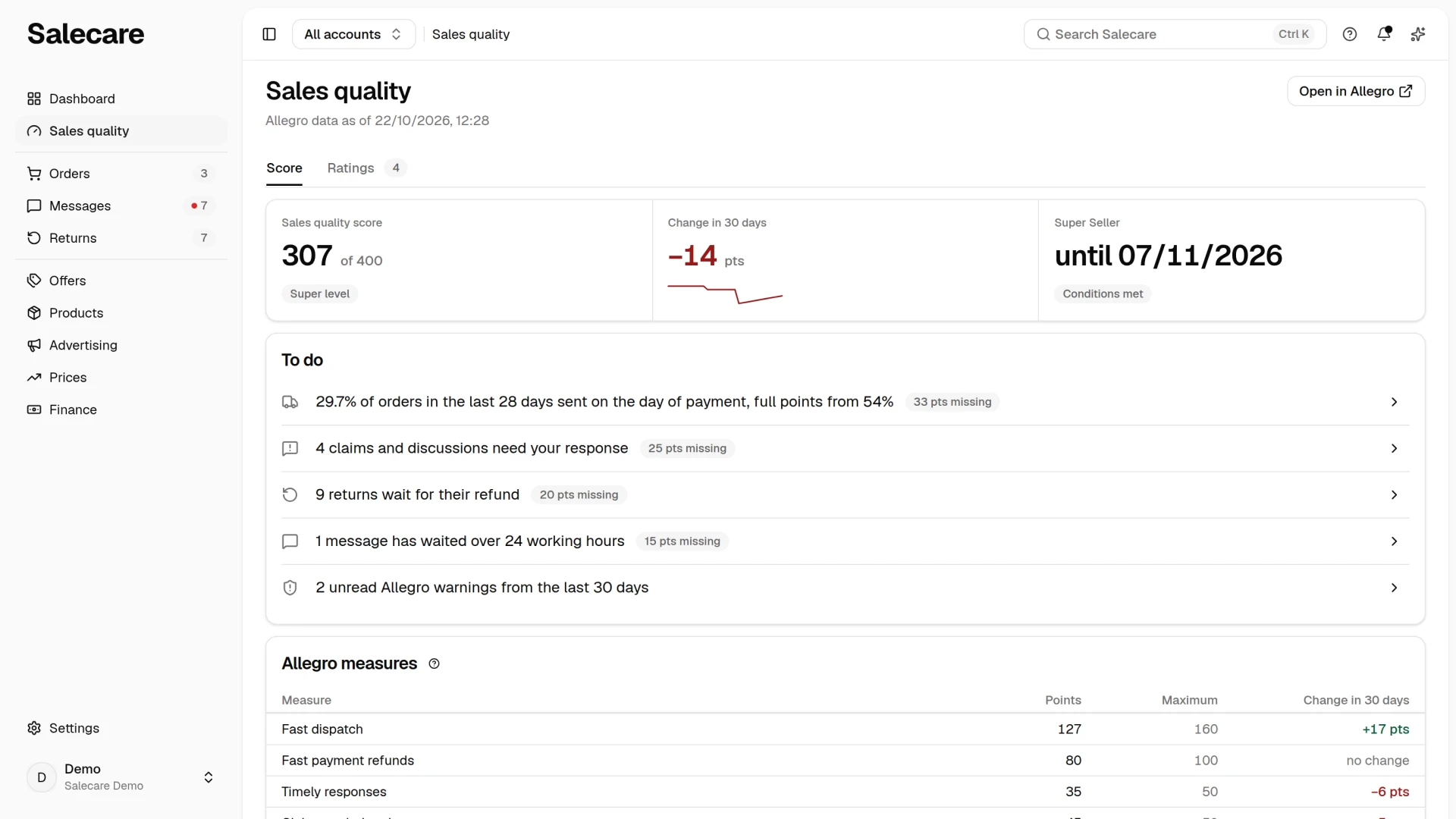
The list shows why you are missing sales quality points
-
The score and the Super Seller badge
The Score tab gives your sales quality points, the change over 30 days and the date until which you hold the Super Seller badge.
-
What lowers the score
The To do card names the reasons, for example a message waiting longer than 24 hours, and the number of points you are missing because of them.
-
Negative ratings
In the Ratings tab you reply to a rating or ask Allegro to remove it. Each rating shows the request deadline, and AI prepares the justification from the comment and the order data.
Allegro decides whether a rating is removed
What you need
A connected Allegro account.
Where the limits are
You read the AI draft justification before you send the request.
Questions about ratings and sales quality
Can I send several requests at once?
Where does the sales quality score come from?
Check these features too
See how many sales quality points you are missing.
14 days free, no card.